 InkPoint
Signature pad for Salesforce screen flows
Guests sign on your Experience Cloud site. The signature lands on the right record.
The InkPoint Signature Pad drops onto any screen flow. Visitors sign with a finger or a mouse, with no login, and each signature is saved to the record your flow chooses, owned by your staff and hidden from guests and portal users.
Nonprofit and education: $400 a year. Made for waivers, consent forms and intake at nonprofits, schools and public agencies.
- Runs entirely inside your Salesforce org
- No data leaves Salesforce
- Guests need no login and no license
- Free 30 day sandbox trial
Three things InkPoint does
Signing right on the flow screen
Drag the InkPoint Signature Pad onto a screen in Flow Builder. People sign on a phone or a desktop, and the flow carries on. No second page, no emailed link, no account to create.
Built for guests
Visitors who are not logged in can sign on your public Experience Cloud site. Guests never need a Salesforce license, and InkPoint never charges per signer.
Saved to the right record
Each signature is saved as a Salesforce File on the record your flow chooses, owned by a staff user you pick, and shared with your internal users only.
See it in action
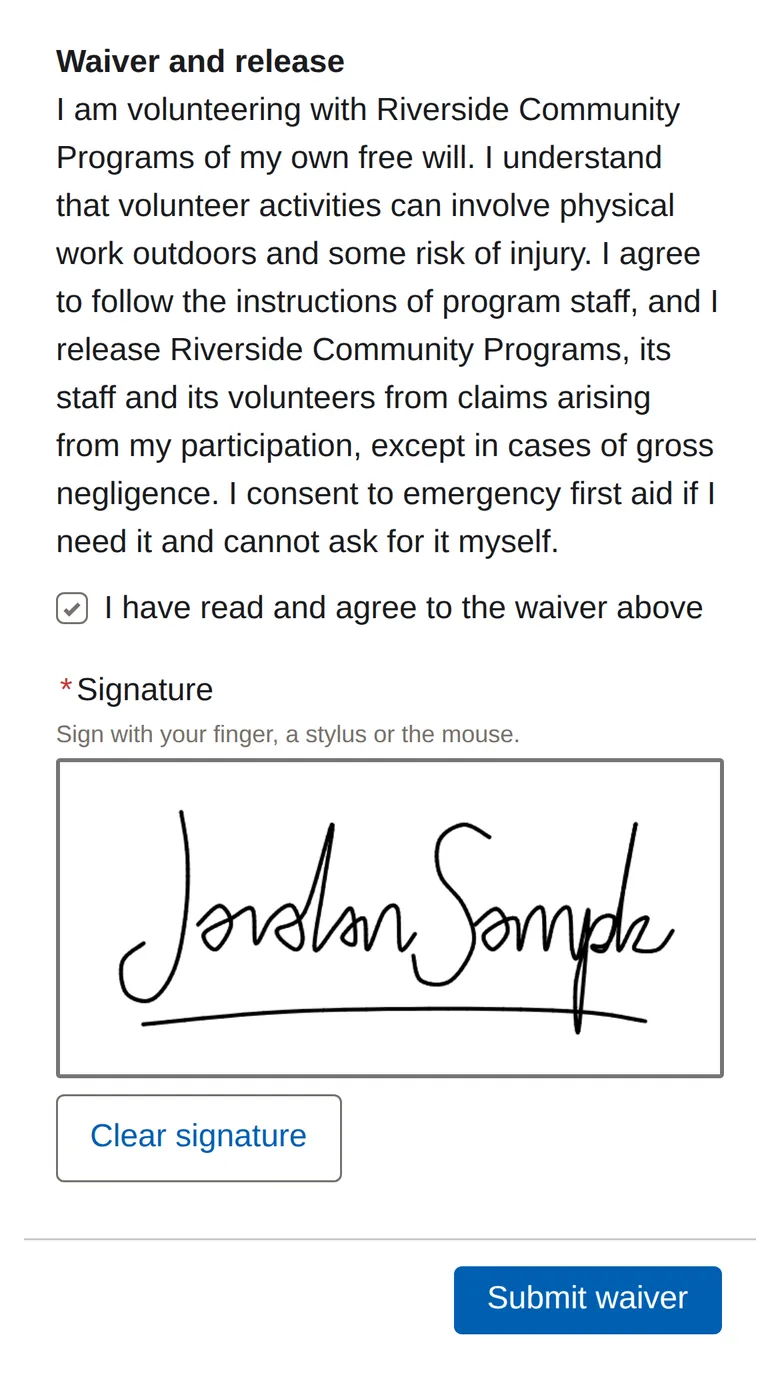
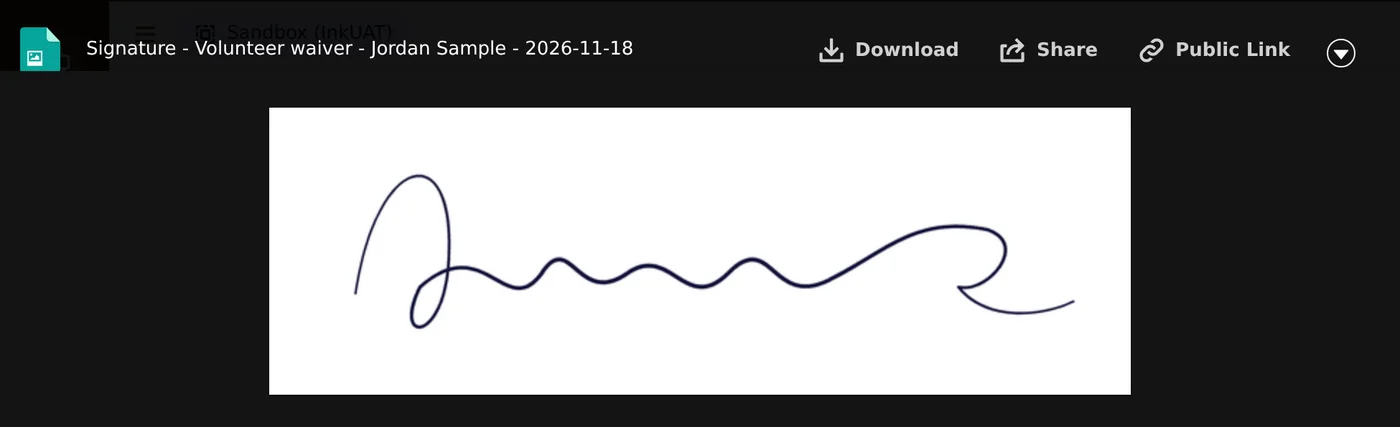
Real screenshots of a volunteer waiver built as a screen flow on a public Experience Cloud site. The guest is not logged in.
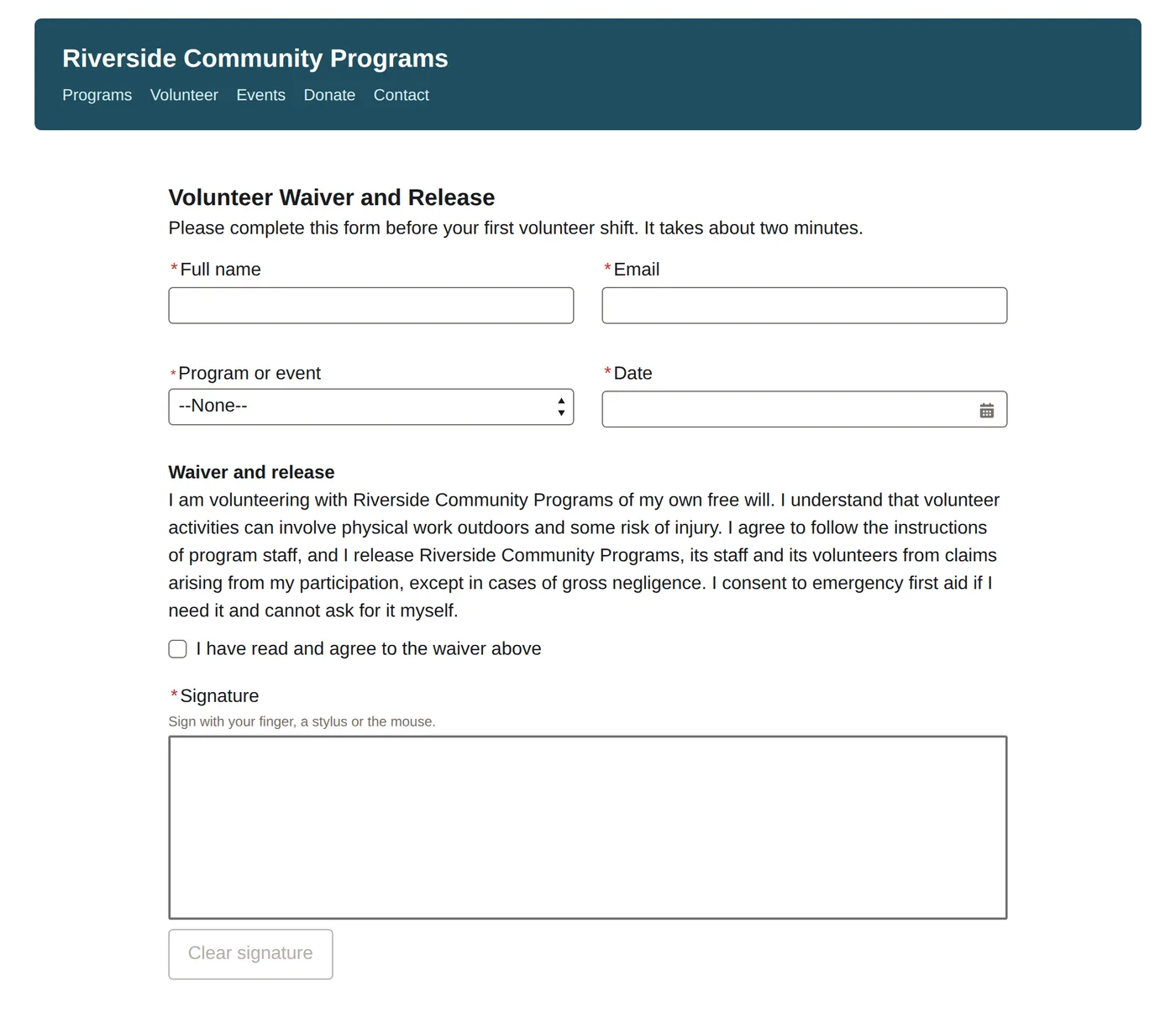
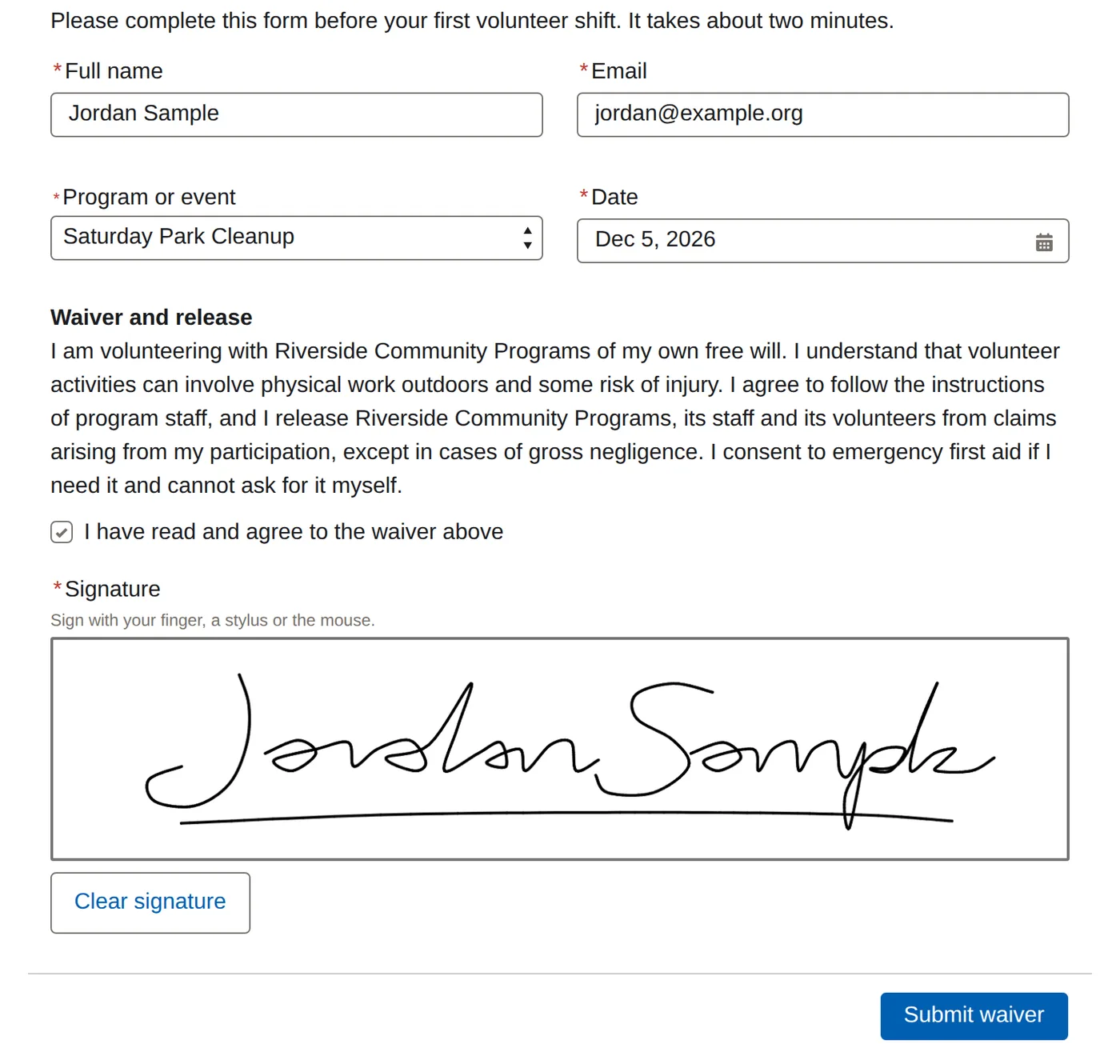
What you build
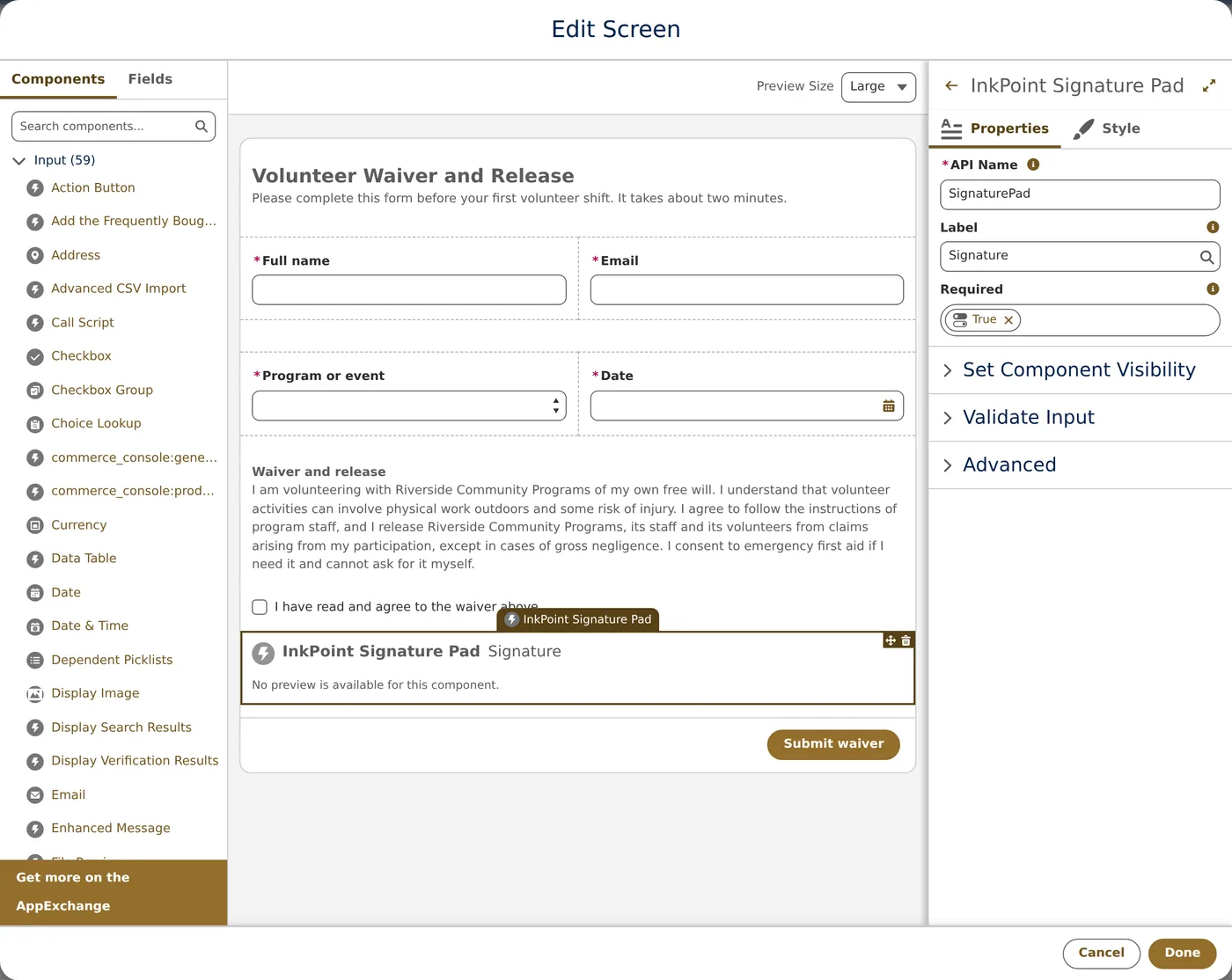
What your staff see

How InkPoint keeps guest signing safe
When someone signs on a public site, Salesforce creates the signature file as your site's guest user. With many signature pads that leaves one of three problems: the file is attached to nothing, the guest user owns it, or anyone with access to your site can open it. Fixing that yourself means writing your own code and reviewing it for security, then maintaining it.
What InkPoint does by default
The Signature Pad never picks the record
Your flow decides which record a signature belongs to, on the server. The Signature Pad never tells Salesforce which record to use, so it gives a signer no way to aim a signature at someone else's record.
Nothing for a visitor to call
The Signature Pad has no server endpoint of its own. A signature is saved only when your flow saves it.
Your staff own the files
One setting names the internal user who owns every signature file. The guest user never does.
Hidden from your site
Signature files are shared with your internal users only, so guests and portal users cannot open them.
Only the access it needs
The signer permission set grants access to the action that saves a signature and to InkPoint's own save request, and nothing else. It adds no access to your objects, fields or records.
It is the checklist a security reviewer would ask about, answered before they ask.
Made for acknowledgments
Waivers, consent forms, intake and enrollment, proof of receipt, program sign ups: the moments when someone on your public site needs to sign, and you need that signature on the record.
InkPoint, a free signature pad, or a full e‑signature suite?
Free signature pads draw a signature well, but most were built for logged in users, so on a public site the file can end up unlinked or owned by the guest user. E-signature suites are built for contracts, with the setup and pricing that go with them. InkPoint sits between them: the Signature Pad on your own screen flow, safe for guests by default.
| InkPoint | Free signature pad components | Full e-signature suites | |
|---|---|---|---|
| Signers sign right on your screen flow | Yes | Yes | NoSigner goes to a separate page or an emailed link |
| Guests on a public site sign with no login | Yes | VariesMany fail for guests or need your own code | VariesSome can, on their own signing page |
| The signature is linked to the right record | Yes | VariesOften saved unlinked for guests | YesUsually as a signed PDF |
| Files owned by your staff and hidden from site users | Yes | NoThe guest user usually owns the file | Varies |
| Runs entirely inside Salesforce | Yes | Yes | VariesMost sign on the vendor’s own service |
| Price | $500 a year per orgUnlimited signers and guests | Free to installbut expensive to build, secure and maintain the guest filing yourself | $1,800 a year and upfor suites that support public site signing |
| Contract signing with audit certificates | NoNot what InkPoint is for | No | Yes |
Signing contracts, loans or regulated documents? A full e-signature suite is the right tool for that. For the everyday acknowledgments on your public site, InkPoint is the simpler one.
Priced per org, not per signer
Priced per production org, per year. Unlimited signers on every plan, and your sandboxes are included.
Starter
$500 a year
Nonprofit and education: $400 a year
- Guest and internal user signing on screen flows
- 1 production org, plus its sandboxes
- 1 Experience Cloud site
- Up to 1,000 signatures a year
- Email support, best effort, within 3 business days
Professional
$1,500 a year
Nonprofit and education: $1,200 a year
- Everything in Starter
- Unlimited Experience Cloud sites and signatures
- A signature record: who signed, when, from which flow and record
- Your consent text above the Signature Pad, saved with the signature
- Typed names and initials, several Signature Pads on one screen, your own colors and labels
- Email support, answered within 2 business days
or write to support@occamsforge.tech
Enterprise
$5,000 a year
Nonprofit and education: $4,000 a year
- Everything in Professional
- Up to 5 production orgs, plus their sandboxes
- A signed acknowledgment PDF for every signature
- An email receipt to the signer
- Tamper evidence on every signature record
- Next business day response from a named contact, and a setup session each year
or write to support@occamsforge.tech
Prices in U.S. dollars, billed once a year by invoice from Occam's Forge, LLC. Each license renews yearly until you cancel. Nonprofit and education organizations save 20 percent on every plan. Want to try it first? Ask for a free 30 day sandbox trial.
How to buy
Choose Order Starter and tell us your organization's name and your Salesforce org ID (in Setup, under Company Information).
We send you an order form and an invoice from Occam's Forge, LLC.
Once the order form is signed, you get your install link, the install guide and your license terms. Install in a sandbox first, then in production.
Not ready to buy? Ask for a free 30 day sandbox trial.
Docs and support
Docs
The install guide, admin guide and security notes cover setup from start to finish, including how to add the Signature Pad to a flow and save to the right record.
Read the docsWho makes InkPoint
InkPoint is built and supported by Occam's Forge, LLC, a Nevada software company. When you write to support, a person who built InkPoint answers.
Questions
What is the InkPoint Signature Pad?
It is the sign here box InkPoint adds to your screen flows. In Flow Builder you drag the InkPoint Signature Pad component onto a screen, set its label and whether signing is required, and your flow saves the signature as a Salesforce File on the record it chooses.
Do signers need a Salesforce license?
No. Guests sign without logging in, and your internal users sign with the licenses they already have.
Does InkPoint send our data anywhere?
No. Signatures are saved in your own Salesforce org, and InkPoint stores nothing outside it.
Is InkPoint on AppExchange?
Not today. InkPoint is a managed package sold directly by Occam's Forge and installed by link, and updates arrive the same way. That also means it has not been through Salesforce's AppExchange security review, which applies to listed apps. Here is what you can check yourself: the security note says exactly what a guest can see and do, InkPoint 1.0 was scanned with Salesforce Code Analyzer using its AppExchange and Security rule sets with no critical or high findings, and you can test it in your own sandbox free for 30 days.
What happens if we pass 1,000 signatures in a year?
Signing keeps working and no signature is lost. We will email you about a plan with a higher limit.
How do renewal and cancellation work?
Your license runs for 12 months and renews each year until you cancel. The License Agreement explains how.
Can we pay by invoice or purchase order?
Yes. Email support@occamsforge.tech and we will send an order form and an invoice.
Can we try it before we buy?
Do nonprofits get a discount?
Yes. Nonprofit and education organizations pay 20 percent less on every plan, so Starter is $400 a year. Say so on the order page and we will set it up.